Short answer: A simple SEO audit checks six things: whether Google is indexing your important pages, whether each page has a clear title and description, whether the site is fast and easy to use on phones, whether your content answers what customers search for, whether your internal links connect related pages and whether your local signals, like your Google Business Profile and business details, are consistent. You can check all of these with free tools in an afternoon.
SEO audits have a reputation for being long, technical and expensive. Some are. But the most important problems on a small business website are usually visible to anyone willing to look carefully, and the tools to find them are free. A simple audit will not catch everything, but it will catch the issues most likely to be holding you back.
This guide walks through a practical audit you can run yourself, in the order we recommend.
What you will need
- Access to Google Search Console for your site.
- Google’s PageSpeed Insights, which needs no login.
- Your phone.
- Access to your Google Business Profile.
- A spreadsheet or notebook to record what you find.
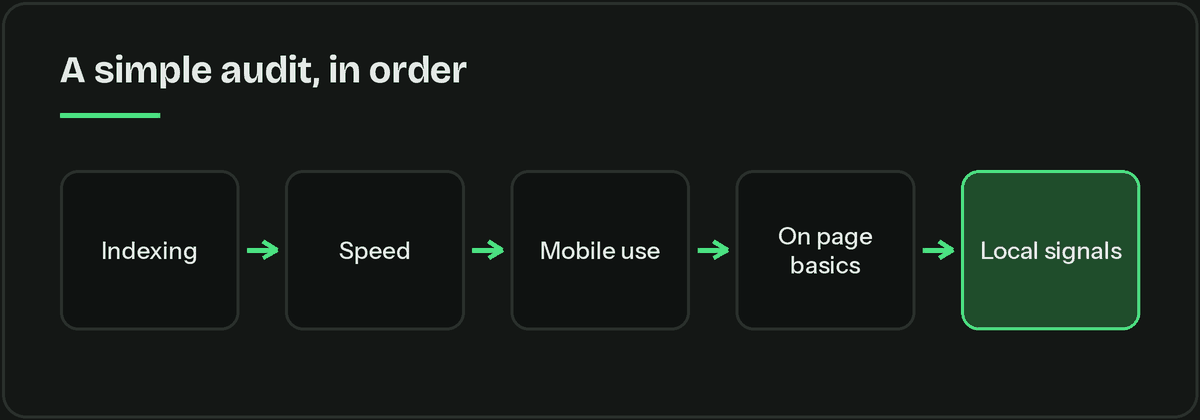
Step one: indexing
Start by confirming that Google can see your important pages.
- In Search Console, open the page indexing report and note how many pages are indexed and how many are not.
- List your important pages, such as the homepage, each service page, location pages and your best blog posts.
- Use the URL Inspection tool on each important page to confirm it is indexed.
- For any that are not, note the reason Search Console gives.
Also search Google for your business name and check that your homepage appears at the top.
Step two: titles and descriptions
Look at how your pages appear in search results.
- Search Google for your main services plus your city and note how your listings appear.
- Check that each important page has a unique title that names the service and location.
- Check that meta descriptions are clear and not cut off or duplicated.
- In Search Console, open the performance report and look for pages with many impressions but few clicks. Those titles and descriptions are worth improving first.
Step three: speed and mobile usability
- Run your homepage and one main service page through PageSpeed Insights and note the mobile results.
- Open those same pages on your phone and try to call, find a service and fill in your form.
- Note anything slow, small, hard to tap or confusing.
Our guide on why page speed matters explains which speed problems tend to matter most.
Step four: content
This is where many local sites fall short. Ask a few honest questions about each important page.
- Does each core service have its own page, or are several services crammed onto one?
- Does each service page explain what is included, who it is for, how the process works and what affects the price?
- Do you answer the questions customers ask on the phone?
- Are location pages genuinely local, or are they copies with the city name swapped?
- Are there old, thin pages that add nothing?
Step five: internal links
- Check that your main menu links to every core service.
- Look at each service page and see whether it links to related services and relevant blog posts.
- Check that blog posts link to the service pages they relate to.
- Look for pages that nothing links to, which are easy for search engines to ignore.
Step six: local signals
For local businesses, your presence beyond the website matters as much as the site itself.
- Check that your Google Business Profile is verified, uses the right primary category and lists accurate hours, services and service areas.
- Confirm your business name, address and phone number are identical on your website, your Google profile and major directories.
- Look at your reviews: how many you have, how recent they are and whether you reply.
Our guide to Google Business Profile optimization covers the profile side in more depth.
Turning findings into a plan
Once you have notes from each step, sort the issues into three groups.
- Fix now: anything blocking important pages from Google, broken forms, wrong business details and serious mobile problems.
- Fix soon: weak titles, missing service pages, thin location pages and slow key pages.
- Improve over time: internal linking, blog content and gradual review growth.
Work through the first group immediately. Many of those fixes take minutes and have an outsized effect.
When to get help
A self audit is a great start, but some issues need a closer look, such as complex indexing problems, slow themes or sites with years of accumulated clutter. A professional review can also put your findings in context against local competitors. Our SEO services start with exactly that kind of audit.
Frequently asked questions
How often should a small business run an SEO audit?
A simple audit once or twice a year is enough for most small businesses, plus a quick check after any redesign or major change.
Do we need paid SEO tools for an audit?
No. Search Console, PageSpeed Insights, your phone and a careful eye cover the most important checks. Paid tools add convenience and competitor data.
What is the most common problem audits find?
On local business sites, the most common issue is thin content: services that lack their own pages, and pages that do not answer the questions customers actually ask.
Next step
Prefer to have experts run the audit for you? Request a free audit and we will review your site and local presence and send you a clear list of priorities.
Work with a local team: Spokane SEO, Spokane Valley SEO and a free SEO audit from an SEO company in Spokane.