
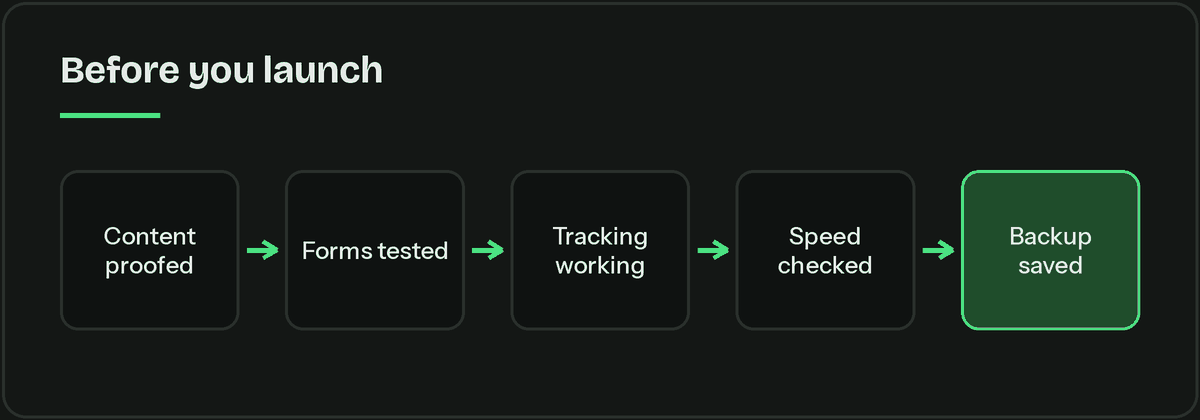
Short answer: Before launching a new website, test every form and phone link, confirm analytics and conversion tracking work, check that search engines are allowed to index the site, set up redirects from any old addresses, submit your sitemap in Search Console, check speed and mobile usability on key pages, proofread content and confirm your business details match your Google profile. Then monitor closely for the first few weeks after launch.
Launch day is exciting, and it is also when small oversights cause the most damage. A form that sends messages nowhere, a setting that hides the site from Google or a missing redirect from an old page can quietly cost leads for weeks before anyone notices. A launch checklist catches those problems while they are easy to fix.
This guide is a practical checklist for small business websites, whether you are launching your first site or replacing an old one.
Content and design
- Proofread every page for typos, outdated information and placeholder text.
- Confirm your business name, phone number, address or service areas and hours match your Google Business Profile.
- Check that every image loads and has descriptive alt text.
- Make sure there are no leftover stock or sample images from the theme.
- Check that headings make sense and each page has one clear main heading.
- Review the about page and contact page for accuracy.
Forms and contact points
- Submit every form yourself and confirm the message arrives in the right inbox.
- Check that the confirmation message or thank you page appears after submitting.
- Make sure form messages do not land in spam folders.
- Tap every phone number on a phone to confirm it opens the dialer with the right number.
- Test email links.
- If you use online booking, make a test booking and cancel it.
Navigation and links
- Click every link in the main menu and footer.
- Check internal links within content.
- Make sure the logo links to the homepage.
- Look for broken links using a free link checker.
Mobile and speed
- Open the homepage, a service page and the contact page on a phone.
- Check that text is readable, buttons are easy to tap and nothing scrolls sideways.
- Test key pages in PageSpeed Insights and fix major problems, especially oversized images.
Our guide to mobile first design for local businesses covers what to look for on phones.
Search engine settings
- Make sure the WordPress setting that discourages search engines from indexing the site is turned off on the live site.
- Check that robots.txt does not block important pages.
- Confirm every important page has a unique title tag and meta description.
- Make sure pages that should stay out of search, such as thank you pages, are set to noindex.
- Check that your XML sitemap loads and lists the right pages.
- Add LocalBusiness structured data that matches your business details, and test it.
Redirects for a replacement site
If the new site replaces an old one, this section is critical.
- List every page on the old site, especially pages that received search traffic.
- Set up permanent redirects from each old address to the most relevant new page.
- Test each redirect.
- Change internal links so they point to new addresses directly.
Our website redesign checklist covers migrations in more detail.
Tracking
- Install Google Analytics and confirm it records visits.
- Set up key events for form submissions, phone clicks and bookings.
- Verify the site in Google Search Console.
- Exclude your own visits from analytics if possible.
Security and maintenance
- Confirm the site loads securely over HTTPS on every page.
- Make sure the www and non www versions redirect to one version.
- Set up automatic backups.
- Remove unused plugins and themes.
- Use strong, unique passwords for admin accounts, and remove accounts that are not needed.
Who should check what
Split the checklist among a few people rather than leaving it to one. The developer can handle technical settings, redirects and tracking. The owner or office manager can proofread content, confirm business details and test forms and phone links. Someone who has never seen the site can be asked to find a service and request a quote on their phone. Fresh eyes catch problems that the people who built the site no longer notice.
Launch day
- Submit your sitemap in Search Console.
- Request indexing for your homepage and main service pages using URL Inspection.
- Check your Google Business Profile website link points to the right page.
- Share the new site with your team so they can spot anything that looks wrong.
After launch
- Check Search Console for errors over the following weeks.
- Watch analytics for unusual drops in visits or leads.
- Fix any problems as soon as they appear.
- Ask a few customers for honest feedback on the new site.
If you would rather have a team handle the build and launch, our website development services include a full launch checklist and post launch monitoring.
Frequently asked questions
When is the best time to launch a new website?
Choose a time when you or your developer can monitor the site closely for the following days, and avoid your busiest periods if possible.
Should we keep the old site available after launch?
Keep a backup of the old site, but make sure visitors and search engines are redirected to the new pages rather than seeing two versions.
How soon after launch will Google show the new site?
Google often recrawls key pages within days, especially after you submit the sitemap and request indexing. Full processing can take longer.
Next step
Launching soon and want a second set of eyes? Request a free audit and we will check the settings and pages that matter most before you go live.
Work with a local team: Spokane SEO, Spokane Valley SEO and a free SEO audit from an SEO company in Spokane.